




Introduction
It was Sunday March 1, 2026. I am putting the finishing touches to my codemelted.com domains. At the center of those domains is my codemelted_web.js module, the module that ties all the domains together and provides a common app bar between the sites.

This app bar provides access to external services via the icon to the left. The combobox provides the ability to switch between all the domains. The actions to the right provide controls common to each site. The whole goal is to have each domain serve as a dedicated service and can easily integrate into other services. In this case social media linked from your profile.
With all the sites properly working and testing we are a go to begin sharing links. That is where the trouble began. It was about 10:30 pm, been coding and testing all day, and go to utilize the threads mobile app to share a link and low and behold, sites will not render. What!! Well being 11:00 it was time for bed.
Trying to Debug Someone Else’s App
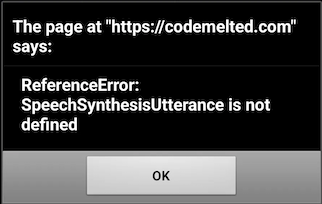
So while working my normal 9-5 on Monday March 2, 2026, I had to come up with a way to replicate the error. I tried quick and dirty fixes thinking the problem could be related to a cacheing issue but none of those made any difference. Looking at the codemelted_web.js I determined it had to be on the pages initialization. So I did an alert() call within catch block of the initialize. But I also realized, threads probably blocks pop-ups. So I needed to whip up an Android app with a WebView.
Flutter Android App
So I started a Flutter mobile app. Confirmed it would run on my Pixel 9. Went to pub.dev and installed the webview_flutter package into the project. Set the URL to my codemelted_web_tester.html file and ran the project. Low and behold a bug was caught and shown.
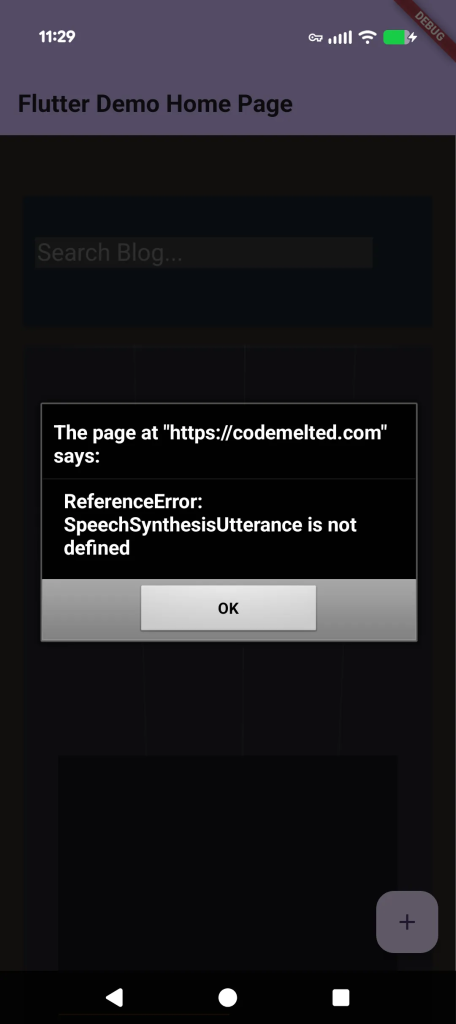
Now with an ability to replicate my sites bugs, I began the debugging task of figuring out what the heck was going on.
The Solution
After a fixing the first unavailable Browser API feature I ran the test again to be met with a different unavailable Browser API feature. It was at this moment I realized I needed to go through all my action buttons and test them from within a mobile view. Lucky for me the core codemelted.js module central to the codemelted.rs Project, I had an ability to detect the different “failing” items. That fix is reflected below.
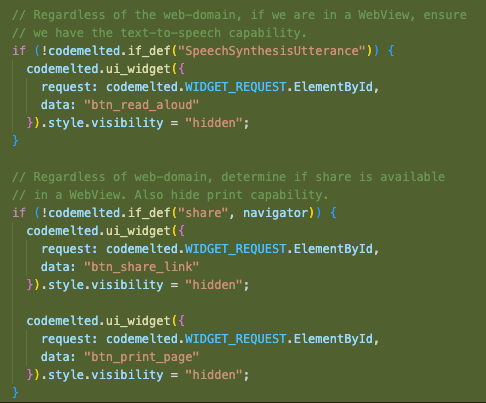
It turns our that my text-to-speech, share, and printing were unusable from a mobile web view. So I utilized the if_def() from the codemelted.js module and ensured those features were hidden or not setup. This allowed for my website to fully render. Now we were ready for the final test.
Threads Rendering
With my fix in-place and deployed to my website came the moment of truth, will the Threads mobile app render my site. So I loaded it up, cleared its WebView cache and selected my site and low and behold, it rendered properly. It also loaded properly in Instagram which also uses the Android WebView. X never had an issue because it does not utilize a WebView but a Chrome view which is a scaled down Chrome tab tied to the X app.
Conclusion
The work above took the Monday to identify the issue, Tuesday to identify all the fixes, and Wednesday to fully deploy to my site. However this did not represent the root of the bug. The root is within the codemelted.js module. Now this module is in its alpha release powering my sites but the mistake made there was detecting if a website is within a Web Browser JavaScript runtime and not the individual features themselves. So while my site can work around the issue, the root of the issue needs to be properly solved in the codemelted.js module. Defects have been identified within the GitHub repo.
Another consideration when debugging a WebView rendering of your page. You must uninstall the test app from your mobile device in order to pick up the latest deployed code to your site. If you don’t do this, you will pick up the last cache’d version of whatever you were testing. So keep that in mind if you find yourself in this situation. I hope this article helps someone in the future.